
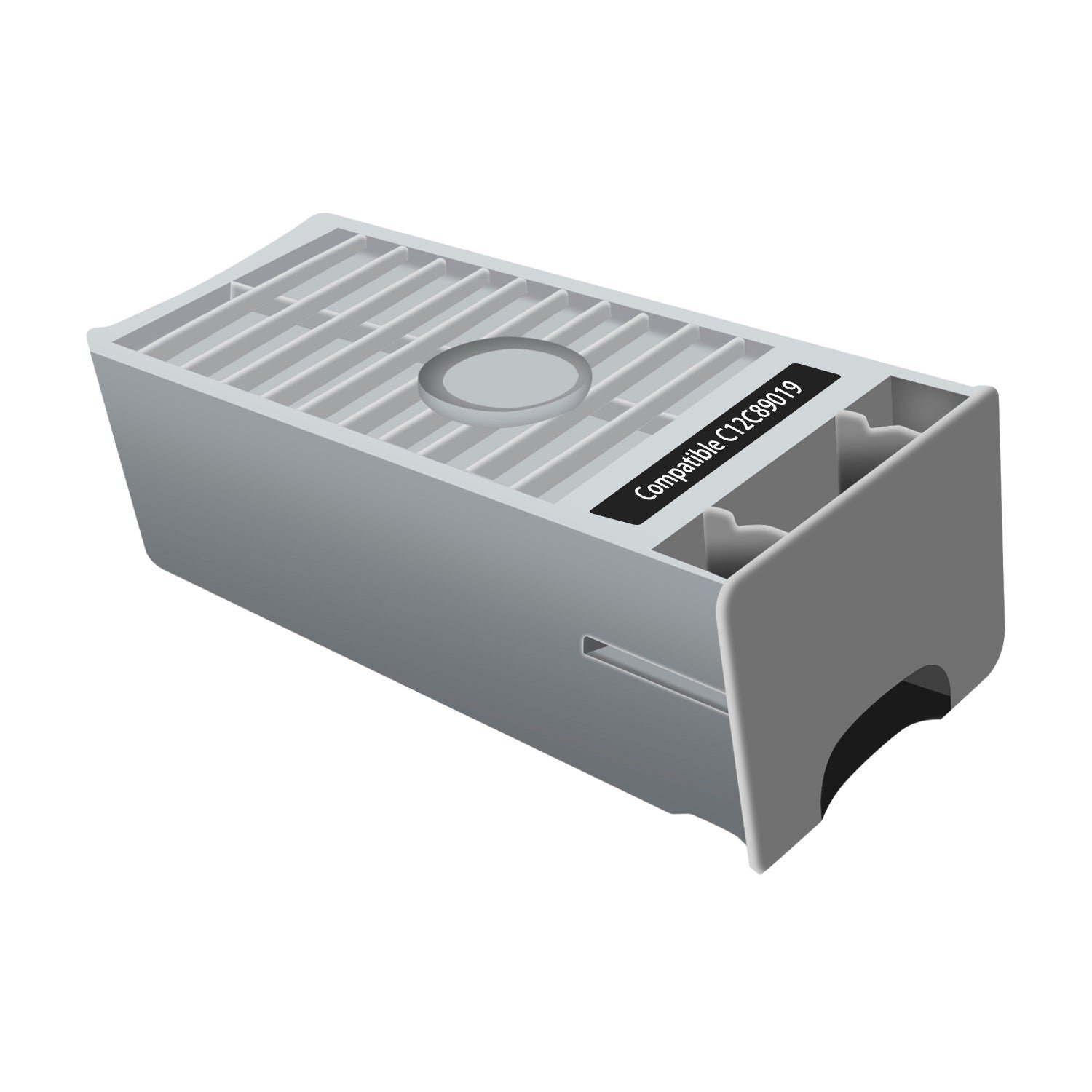
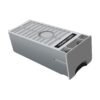
Compatible C12C890191 C12C890193 Maintenance Tank Replacement
$42.00
- Product Type: Maintenance Tank
- OEM Part Numbers: C12C890191, C12C890193
- Condition: Compatible
- Shelf Life: 24 Months
- Installation: Quick and easy replacement
- Application: Waste ink collection during printer maintenance cycles
Epson® is a registered trademark of Seiko Epson Corporation. This product is not affiliated with or endorsed by Epson.
In stock
Compatible Epson C12C890191 C12C890193 Maintenance Tank
Keep your Epson printer operating efficiently with the Compatible Epson C12C890191 C12C890193 Maintenance Tank. Designed to collect waste ink produced during automatic printhead cleaning and maintenance cycles, this replacement maintenance tank helps prevent overflow and supports consistent printer performance.
Manufactured with high-quality absorbent materials, it offers reliable waste ink collection and a precise fit for easy, tool-free installation. This premium compatible maintenance tank provides dependable performance while helping reduce operating costs without compromising quality.
Whether you’re replacing a full maintenance tank or keeping a spare on hand, this compatible replacement delivers the performance and reliability needed for smooth, uninterrupted printing.
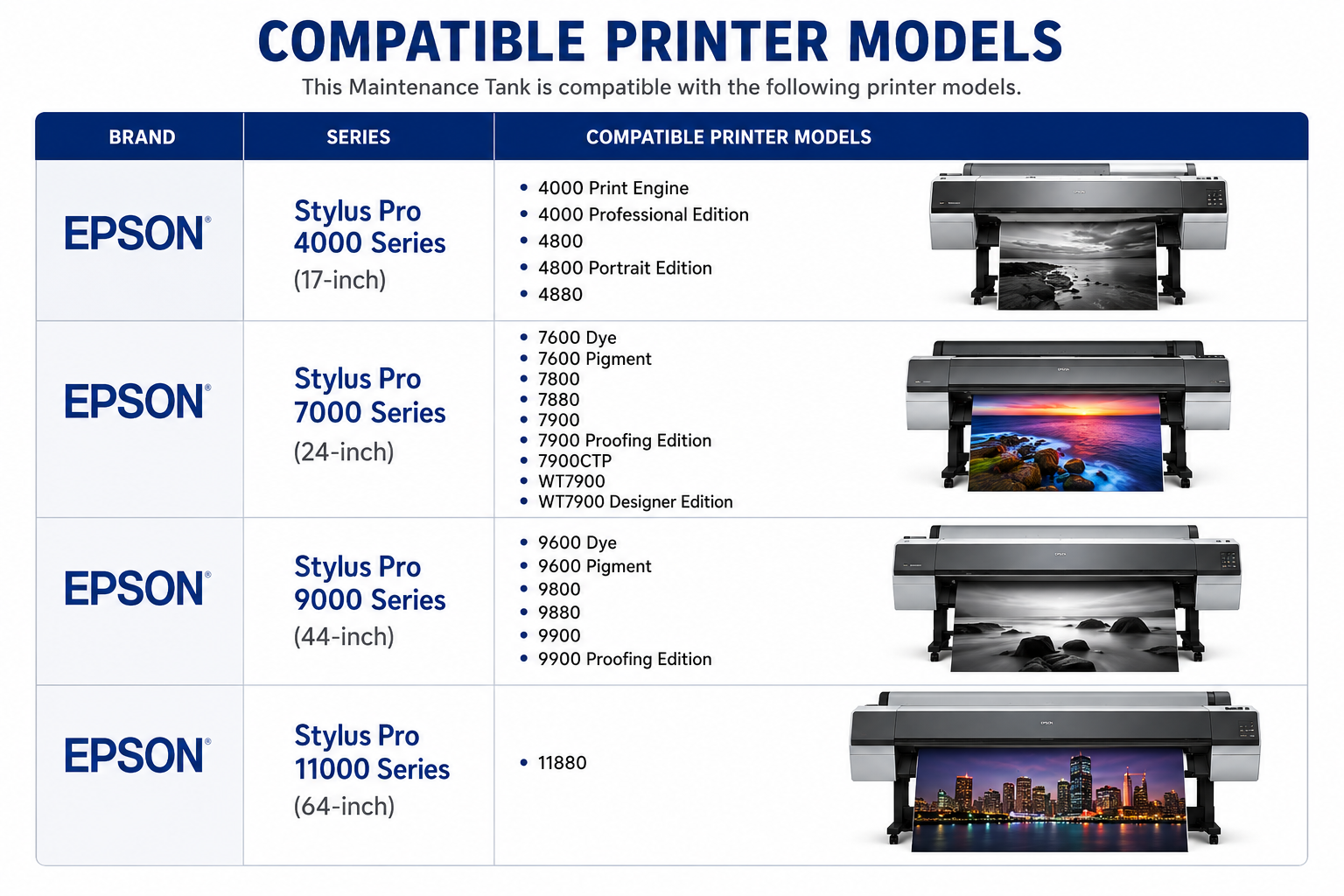
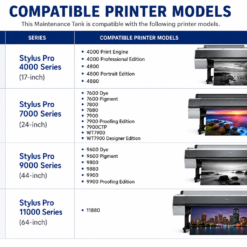
| Brand | Series | Compatible Printer Models |
|---|---|---|
| Epson | Stylus Pro 4000 Series (17-inch) | 4000 Print Engine, 4000 Professional Edition, 4800, 4800 Portrait Edition, 4880 |
| Epson | Stylus Pro 7000 Series (24-inch) | 7600 Dye, 7600 Pigment, 7800, 7880, 7900, 7900 Proofing Edition, 7900CTP, WT7900, WT7900 Designer Edition |
| Epson | Stylus Pro 9000 Series (44-inch) | 9600 Dye, 9600 Pigment, 9800, 9880, 9900, 9900 Proofing Edition |
| Epson | Stylus Pro 11000 Series (64-inch) | 11880 |
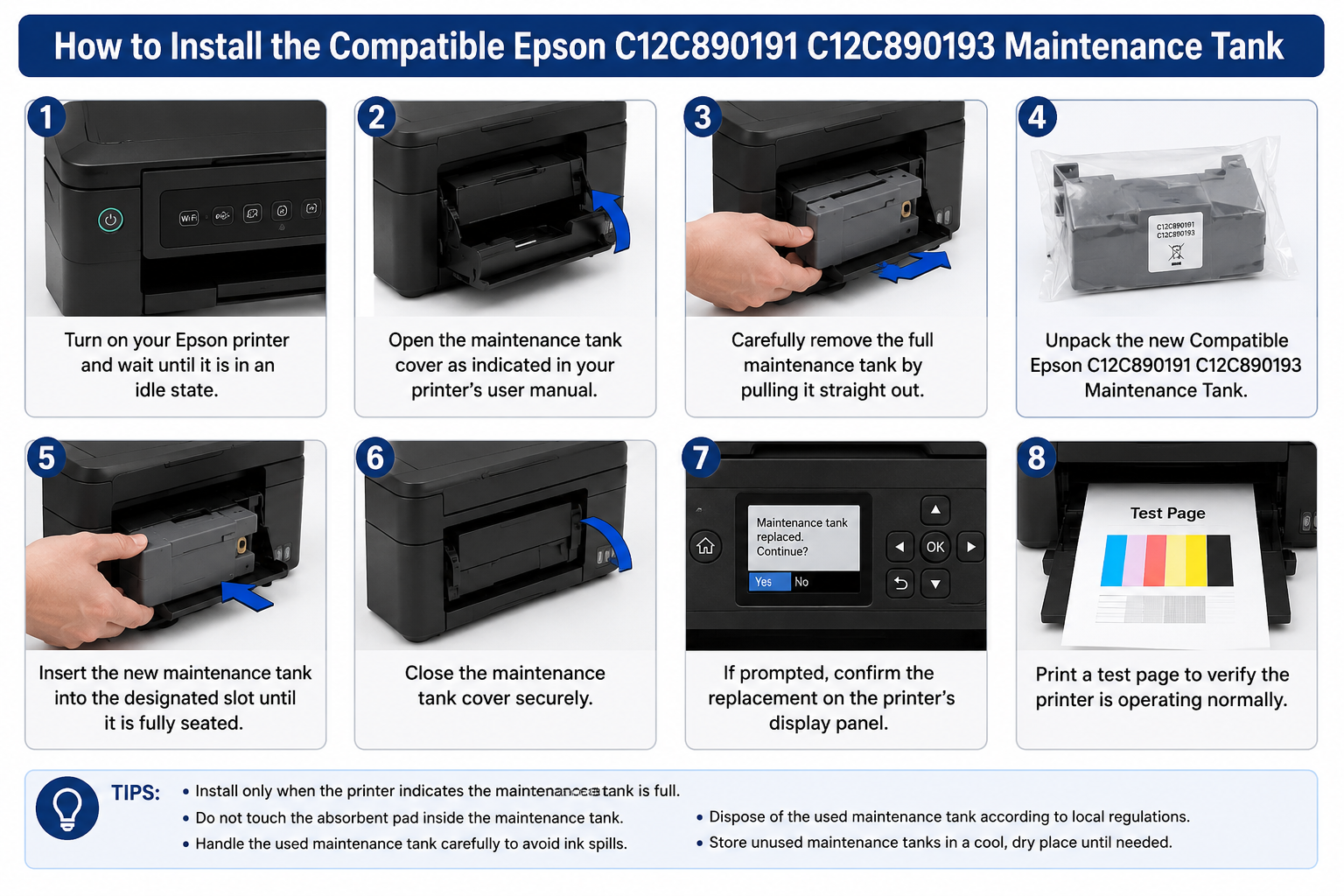
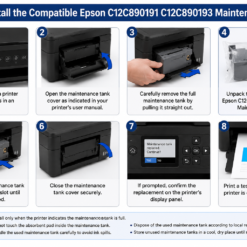
How to Install the Compatible Epson C12C890191 C12C890193 Maintenance Tank
- Turn on your Epson printer and wait until it is in an idle state.
- Open the maintenance tank cover as indicated in your printer’s user manual.
- Carefully remove the full maintenance tank by pulling it straight out.
- Unpack the new Compatible Epson C12C890191 C12C890193 Maintenance Tank.
- Insert the new maintenance tank into the designated slot until it is fully seated.
- Close the maintenance tank cover securely.
- If prompted, confirm the replacement on the printer’s display panel.
- Print a test page to verify the printer is operating normally.
Installation Tips
- Install only when the printer indicates the maintenance tank is full.
- Do not touch the absorbent pad inside the maintenance tank.
- Handle the used maintenance tank carefully to avoid ink spills.
- Dispose of the used maintenance tank according to local regulations.
- Store unused maintenance tanks in a cool, dry place until needed.
Only logged in customers who have purchased this product may leave a review.



Reviews
There are no reviews yet.